
Alani · Web app
Alani on
the web
Reminders, events, trackers, calories and music in one place, in your browser. Made for tapping, not typing: no commands to learn.
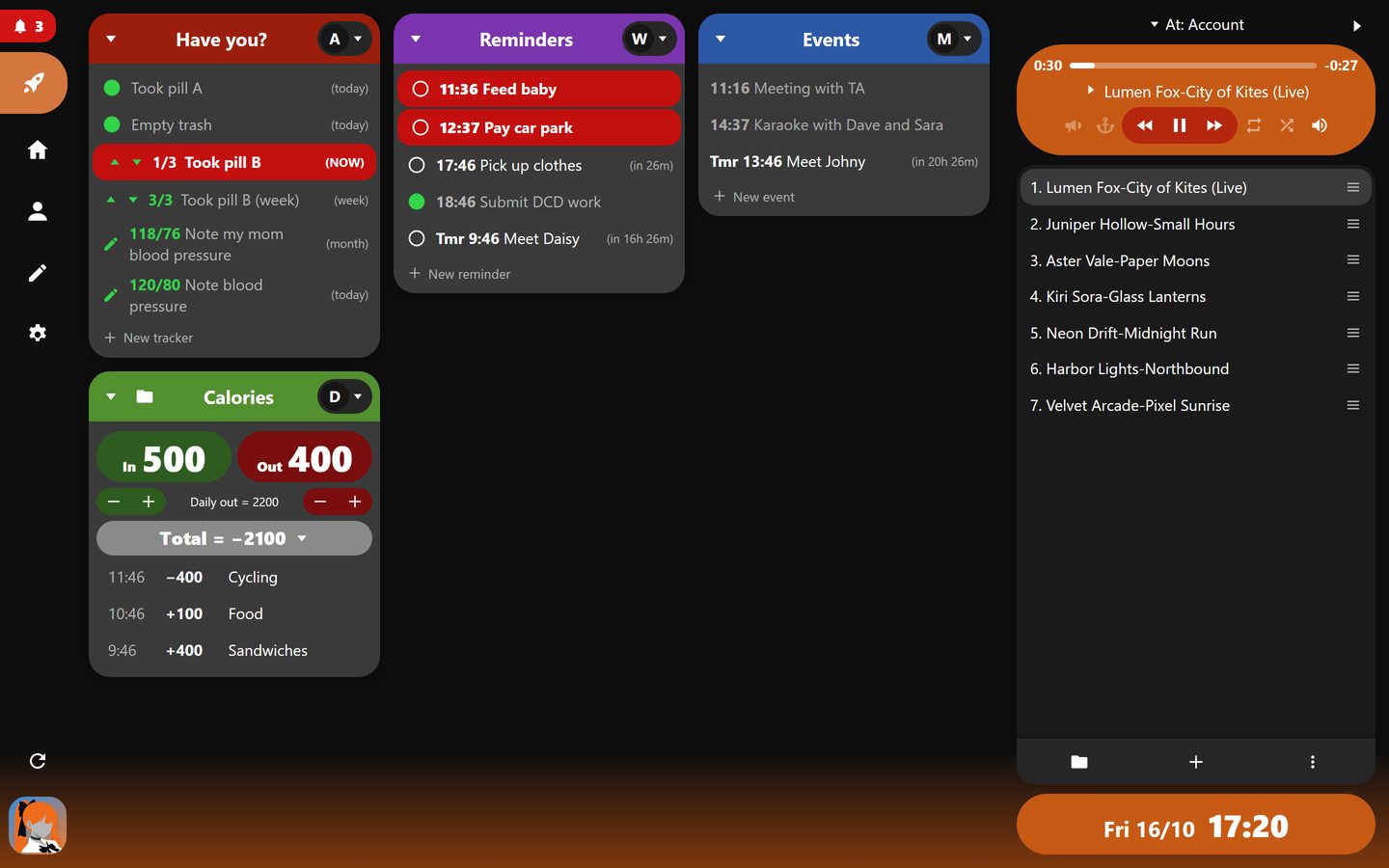
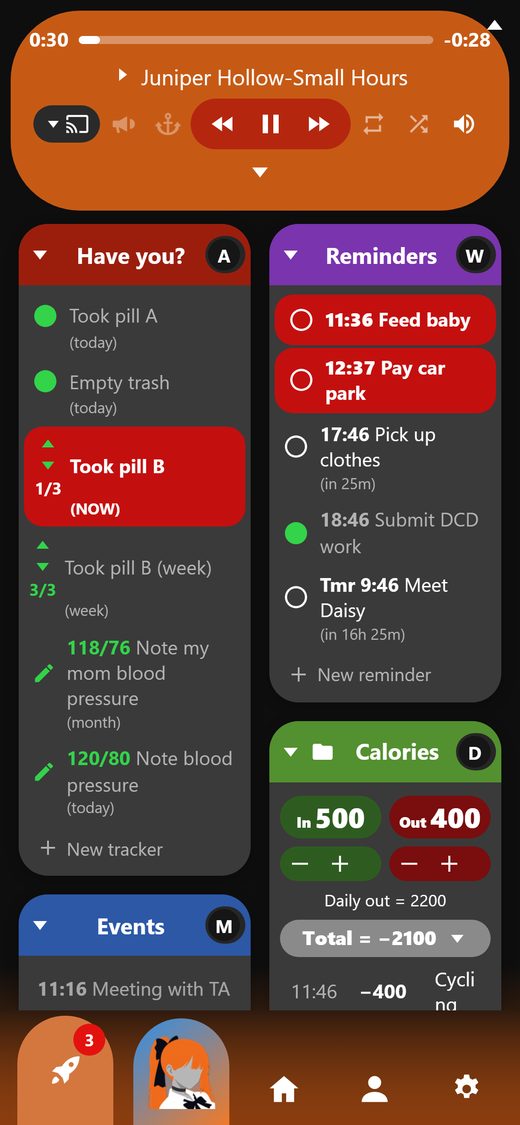
The quick menu on a computer and on a phone.
Getting started
Three steps
Open the web app
Go to https://alani.alatomy.com on any phone, tablet or computer.
Log in or sign up
Continue with Google or Discord. It is your Alatomy account, the same one as on this site: the first login creates it, and there is nothing else to fill in.
Start with the rocket
The quick menu opens first. Add a reminder, a tracker or a song, and you are set.
The islands
What each one does
Have you? (trackers)
Things you want to keep up with, each repeating every day, week, month or year, or just once. Three kinds:
- Check: done or not. Tap the circle. Example: “Empty trash”.
- Count: press up or down towards a target. Example: “Took pill B”, 3 times a week, shown as 1/3.
- Note: tap the pen to write a note, or numbers under labels. Example: a blood pressure reading, 120/80.
A tracker turns green when it is done for its period, and starts fresh when the next period begins. Give it a reminder time and it turns red with “(NOW)” once that time passes and it is still not done; with Discord linked you also get a message. Once it is done, no reminder is sent for that period. On the Home page, each tracker has its whole history, which you can download as a spreadsheet file.
Reminders
Each reminder shows its time (“14:09” today, “Tmr 9:00”, “17th 9:00”) and, when it is coming up today, how long until then. Tap the circle to tick it off: a reminder you tick off before its time is never sent. When its time comes it turns red until you tick it, and with Discord linked it arrives as a direct message.
Events
Your schedule: start time and title, “in 2h 51m” when it starts within a day, a grey highlight while it is happening, and faded once it is over. Events without an end last an hour; an event can also last all day. If a new event overlaps another, Alani tells you.
Calories
Today at a glance: In (what you ate), Out (what activity burned) and Daily out (what your body burns in a day anyway, 2200 to start with). Total = In − Out − Daily out. Use + to add, and − to correct a mistake. Tap the total to show or hide today's log.
The folder button opens the calories window: every entry, daily, weekly and monthly reports, and the Daily out setting.
Customising
Your quick menu, your way
On a computer, use the pen in the side bar; on a phone, open Settings.
Fixed or priority
Fixed: every island keeps its place. Priority: the islands are placed by importance, the highest at the top left.
Which islands, in which order
Switch islands on or off and move them up or down the list.
Snap to islands
When it is on, scrolling stops at the top of each island instead of moving freely.
Push to the top
With the priority layout, an island with something due moves to the top until you deal with it.
One or two columns
On a phone, show the islands one per row (bigger) or two side by side.
Dark or light
Dark is the default. Your choices are saved to your account, so every device looks the same.
Music
The music player
On the right on a computer, at the top on a phone. Hide it with its triangle and bring it back the same way.
Where it plays
- On account: your own queue, played in step on every device you open it on. Start a song on your computer and your phone plays the same song at the same moment; pause or skip on one and the others follow within a couple of seconds.
- On WebApp: a queue kept on this device only.
- On a Discord server: control Alani's player in a server you use it in. Join the voice call on Discord to change things, the same as with the
.avccommands. If Alani is free, “Bring it to my call” brings her to the call you are in.
The controls
- The bar at the top shows the song's length, where it is, and the time left. Tap it to jump (when it plays in your browser).
- Back once goes to the start of the song; twice quickly goes to the song before. Play/pause and next do what you expect.
- Loop repeats the queue (a single song too); shuffle plays it in random order.
- Volume: a slider, and the speaker to mute. It is remembered on each device.
- PlayCall (“Now playing” messages in Discord) and Persistent (Alani stays in the call) only apply when it plays in a Discord server.
The queue
- Tap a song to play it. Drag the three lines at its right to move it up or down.
- Right-click a song (or swipe it on a phone) to mark skip (it stays, crossed out, and is passed over) or remove it.
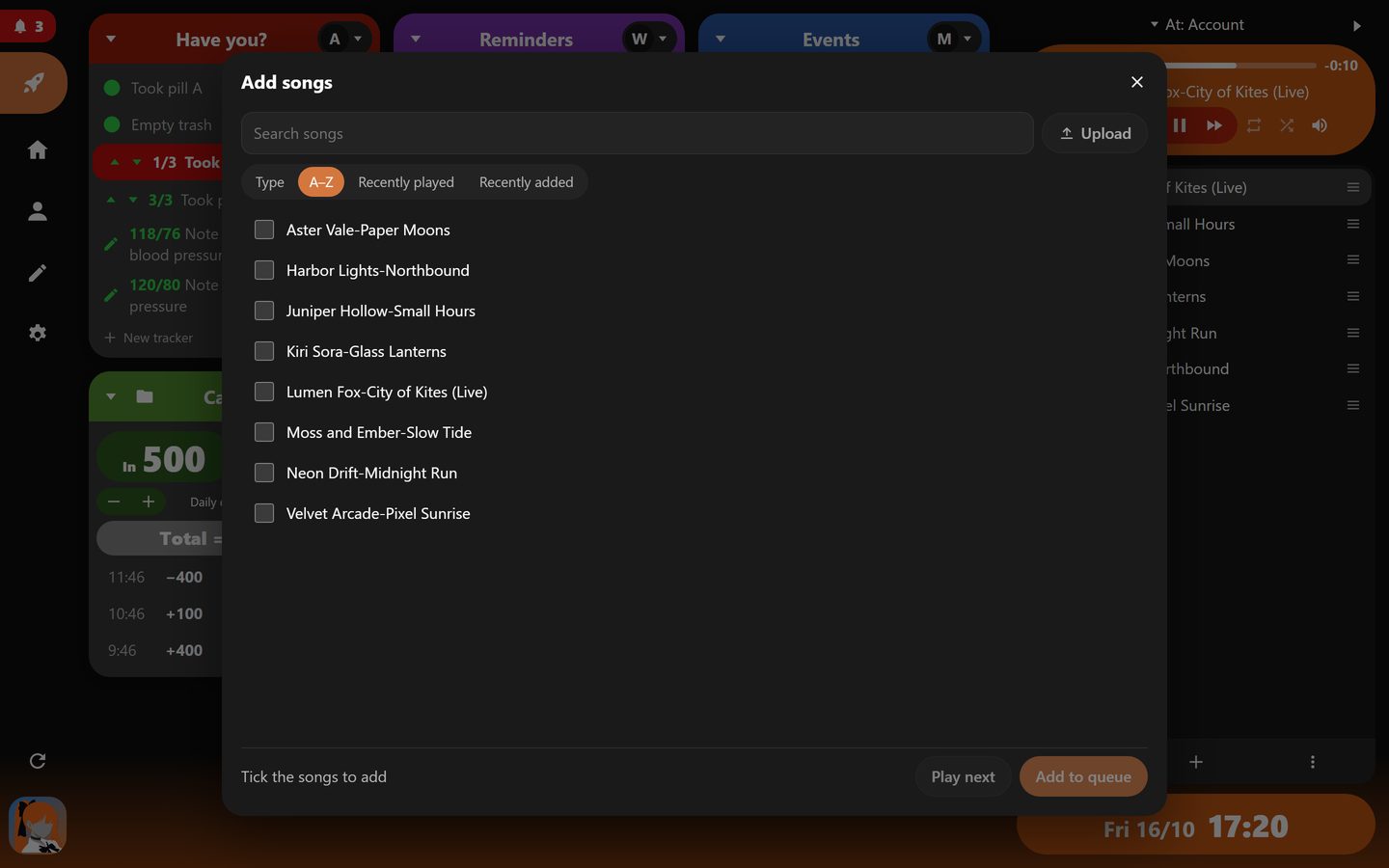
- Under the queue: the song list (sort or group by type, A to Z, recently played or recently added), add songs (tick several, then add them at the end or play them next), and more.
- Copy queue puts the queue on your clipboard as readable text, one song per line, to keep or share. Paste queue reads such a list and adds the songs it finds at the end of your queue.
The other pages
Home, You and Settings
Home
Everything at a glance: what needs your attention, every tracker with its history and export, your reminders and events, today's calories, and the music.
You
Your account and how you log in, your plan and how much of it you use, and a download of all your data. Log out from here too.
Settings
The theme, the quick menu, and this device's music player.
The button with Alani's picture is where Alani's assistant will live. It is coming soon.
On your phone
Keep it on your home screen
Android (Chrome)
Open the web app, tap the ⋮ menu, then “Add to Home screen” (or “Install app”).
iPhone (Safari)
Open the web app, tap the Share button, then “Add to Home Screen”.
It then opens full screen like an app. On an iPhone the volume is set with the phone's own buttons.
Your data
Yours, in one place
Everything you keep in the web app lives in your Alatomy account: the same reminders, events and trackers whether you use the web app or Discord. The free plan holds up to 2 MB of your own data, which is thousands of entries. You can download all of it or delete your account at any time; see the privacy policy and the terms.